Microsoft Visio Viewer 2007 SP1
Updated on 19 Aug 2011
By Anthony Buckner
By Anthony Buckner
Specifications
License:
Freeware (Free)
Updated:
Downloads:
19799
Platform:
Windows 2K / XP / 2003 / Vista / XP X64
Publisher:
(more)
Website:
Unknown
User Reviews:
Other versions:
Do you like
Microsoft Visio Viewer?
Publisher's Descriptions
The Visio 2007 Viewer will allow users to view Visio drawings and diagrams (created with Visio 5.0, 2000, 2002, 2003 or 2007) inside their Internet Explorer version 5.0 or newer Web browser.
Visio users can freely distribute Visio drawings and diagrams to team members, partners, customers, or others, even if the recipients do not have Visio installed on their computers. Internet Explorer also allows for printing, although this is limited to the portion of the drawing displayed.
The Visio 2007 Viewer enables users to discover the advantages of using Visio drawings, charts, and illustrations in a Web-based environment. The Visio 2007 Viewer is particularly useful for teams that need to collaborate from different locations.
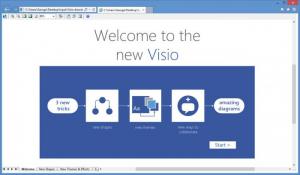
Viewing Visio drawings is as simple as double-clicking the drawing (files with the .VSD, .VSS, .VST, .VDX, .VSX, or .VTX extension) in Windows File Explorer. Internet Explorer will open, and the Visio 2007 Viewer will render the drawing in the browser window.
You can then pan and zoom in the drawing window by using toolbar buttons, keyboard shortcuts, or menu items in the right-click menu. Also, you can see properties on any shape by opening the Properties and Settings dialog box and then selecting a shape.
Some rendering and display settings are available in the Display Settings tab of the Properties and Settings dialog box. Additionally, drawing-layer visibility and colors can be set in the Layer Settings tab, and annotation visibility and colors can be set in the Markup Settings tab.
Microsoft Office Visio Viewer 2007 Service Pack 1 delivers important customer-requested stability and performance improvements, while incorporating further enhancements to user security. This service pack also includes all of the updates released for Office Visio Viewer 2007 prior to December of 2007.
Notes
· Both Visio Binary (.VSD) and XML (.VDX) files are supported.
· The Visio 2007 Viewer is implemented as an ActiveX control that loads and renders Visio drawings inside Internet Explorer.
· Microsoft Internet Explorer (IE) 5.0 or later
Visio users can freely distribute Visio drawings and diagrams to team members, partners, customers, or others, even if the recipients do not have Visio installed on their computers. Internet Explorer also allows for printing, although this is limited to the portion of the drawing displayed.
The Visio 2007 Viewer enables users to discover the advantages of using Visio drawings, charts, and illustrations in a Web-based environment. The Visio 2007 Viewer is particularly useful for teams that need to collaborate from different locations.
Viewing Visio drawings is as simple as double-clicking the drawing (files with the .VSD, .VSS, .VST, .VDX, .VSX, or .VTX extension) in Windows File Explorer. Internet Explorer will open, and the Visio 2007 Viewer will render the drawing in the browser window.
You can then pan and zoom in the drawing window by using toolbar buttons, keyboard shortcuts, or menu items in the right-click menu. Also, you can see properties on any shape by opening the Properties and Settings dialog box and then selecting a shape.
Some rendering and display settings are available in the Display Settings tab of the Properties and Settings dialog box. Additionally, drawing-layer visibility and colors can be set in the Layer Settings tab, and annotation visibility and colors can be set in the Markup Settings tab.
Microsoft Office Visio Viewer 2007 Service Pack 1 delivers important customer-requested stability and performance improvements, while incorporating further enhancements to user security. This service pack also includes all of the updates released for Office Visio Viewer 2007 prior to December of 2007.
Notes
· Both Visio Binary (.VSD) and XML (.VDX) files are supported.
· The Visio 2007 Viewer is implemented as an ActiveX control that loads and renders Visio drawings inside Internet Explorer.
System Requirements
· Microsoft Internet Explorer (IE) 5.0 or later
Do you like Microsoft Visio Viewer
Microsoft Visio Viewer Disclamer
Please be aware FindMySoft.com accepts no responsibility for the file you are downloading. The same applies to the information provided about the software products listed.
We do not allow the inclusion of any Microsoft Visio Viewer serial, keygen or crack and we disclaim any liability for the inappropriate use of Microsoft Visio Viewer.
FindMySoft advises that Microsoft Visio Viewer should be only used in accordance with the rules of intellectual property and the existing Criminal Code.
For your own protection ALWAYS check downloaded files for viruses.
We do not allow the inclusion of any Microsoft Visio Viewer serial, keygen or crack and we disclaim any liability for the inappropriate use of Microsoft Visio Viewer.
FindMySoft advises that Microsoft Visio Viewer should be only used in accordance with the rules of intellectual property and the existing Criminal Code.
For your own protection ALWAYS check downloaded files for viruses.
Advertising
Popular News
The MATE and Cinnamon editions of Linux Mint 13 Release Candidate have been rolled to the public.
Tell Drinkify what you're listening to and it will tell you what drink to get.
Your Rating
2.3
out
of
5
of
5
Rated By
12 Users
12 Users
Top Downloads
2.
Opera5.
Trillian8.
AIM9.
Skype10.
Ad-Aware12.
Nero13.
Google Earth14.
Picasa15.
Winamp16.
iTunes17.
RealPlayer18.
uTorrent19.
eMule20.
WinRAR21.
BitComet22.
WinZip23.
Shareaza24.
CCleaner25.
Recuva26.
Tweak UI27.
CuteFTP Home29.
Adobe Reader30.
NewsPiperBecome A Fan!
Link To Us!
Microsoft Visio Viewer
HTML Linking Code
HTML Linking Code
Latest Reviews